
Features
|
Submit News Item
SAMBA Setting up a Mixed Network eCS newsgroups Benchmarking NetBeans Editor Logo Programming more... |
Membership
|
BayWarp is sponsored by Blonde Guy
Administrivia E-Mail Lists Submissions Contact BayWarp Credits |
Samba for OS/2 and eComStation
This presentation is a tour of installing and configuring SAMBA for OS/2. Examples will show eComStation sharing files with Windows, Macs, smartphones and tablets.
Introduction
Samba for OS/2 and eComStation comes in two varieties, the client and the server. The client allows users access to a shared drive on another computer. The client is installed on eComStation by default.
Samba server allows users to share files with users on other computers on the local network. This presentation will concentrate on using Samba server.
Samba for OS/2 and eComStation is intended to replace the IBM File and Print Services that came with OS/2.
Samba is currently maintained by BitWise, Alex Taylor and Paul Smedley.
Books about Samba
The fine points of Samba configuration are tedious to learn. The O'Reilly press book may be helpful. The full text of the book is available on-line.

|

|
| Using Samba, 2nd Edition (free on-line) | Using Samba, 3nd Edition (subscription required) |
Installation
The software can be downloaded from the Samba for eCS (OS/2) website.
Set the environment variable TMPDIR to a temporary directory.
The installation files for Samba are
- Samba Server 1.1.4.804 ftp://ftp.netlabs.org/pub/samba/server/samba-1-1-4-804.wpi (17,908,342 bytes)
- Rexx Libraries 1.1.1 ftp://ftp.netlabs.org/pub/samba/server/rxlib4smb.wpi (1,154,898)
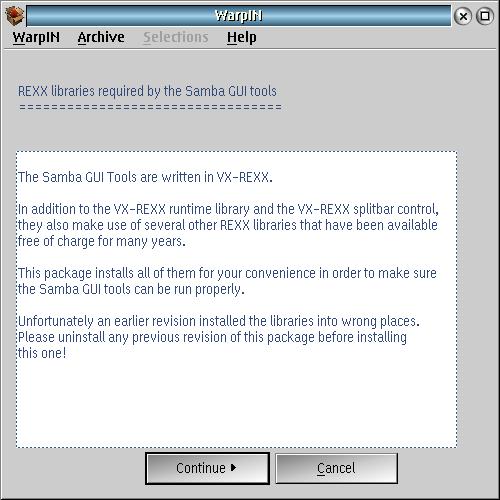
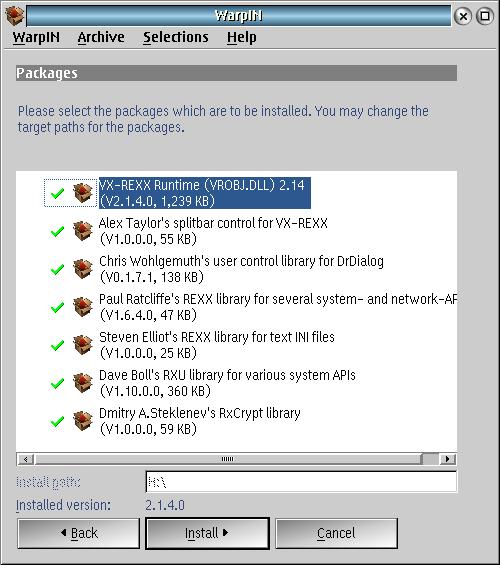
Install the REXX Libraries first, then the Samba Server. At the end of the Samba Server installation, you will see a configuration screen in which you will set the administrator password.
If this configuration screen does not appear, or if you do not set an administrator password, then the installation has failed. Sometimes a second attempt to install will be successful. Other times, re-installing the prerequisite REXX libraries can help.
REXX libraries required by Samba
Packages
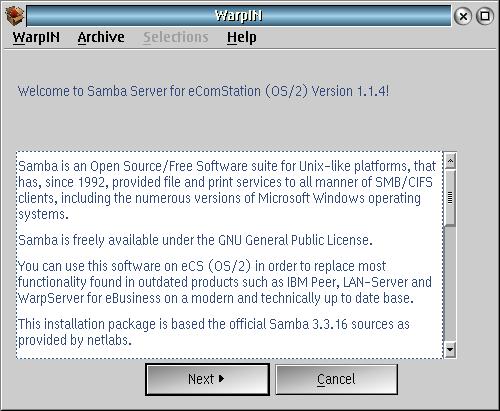
Samba Server for eComStation (OS/2)
Prerequisites
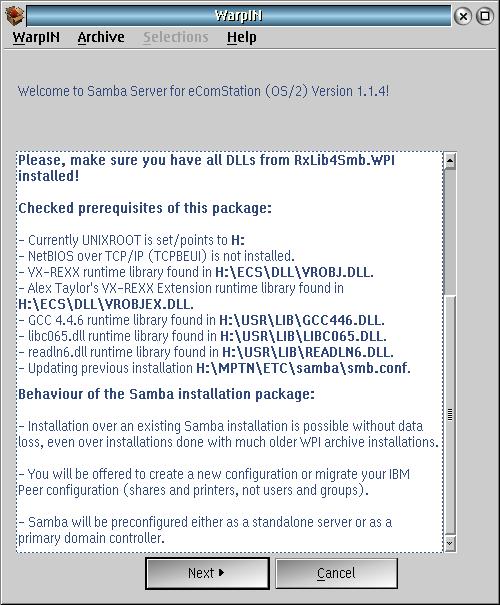
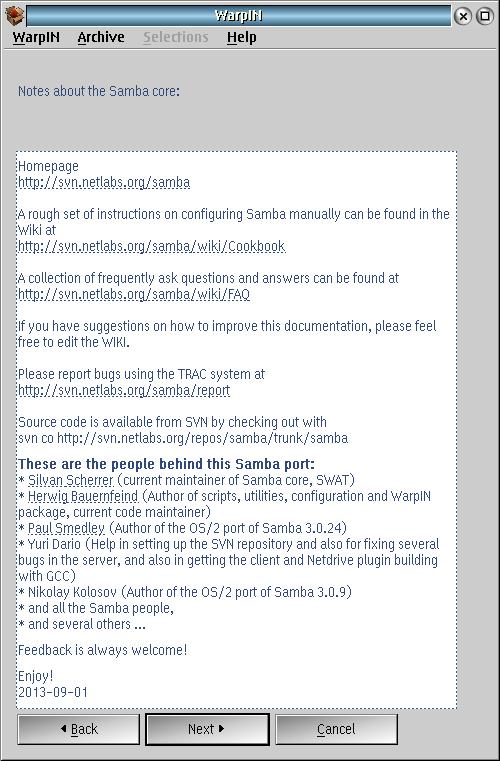
Notes on Samba
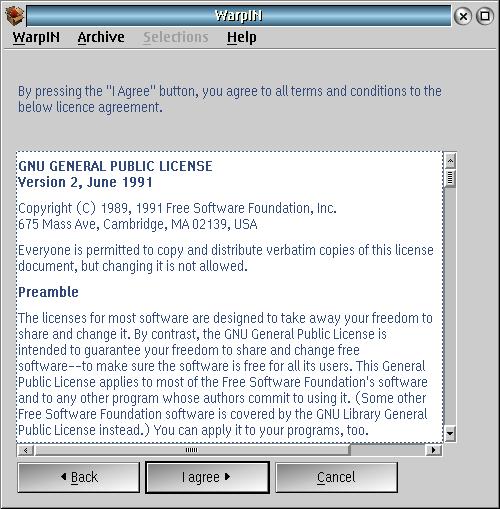
License
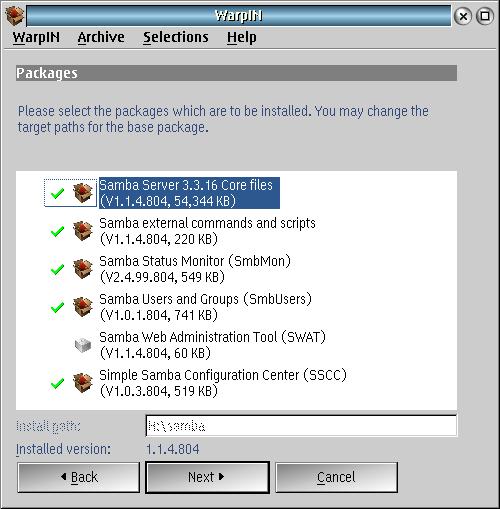
Packages
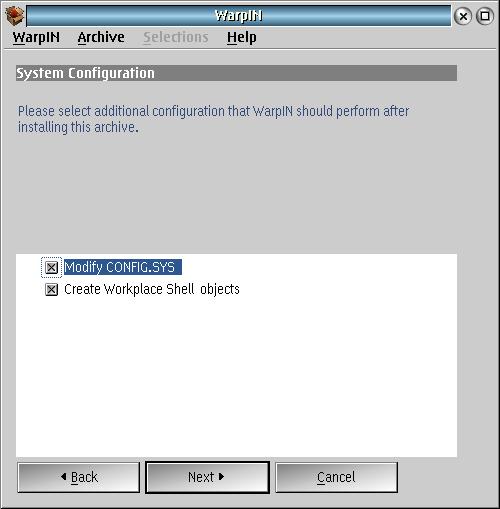
System Configuration
Environment variables
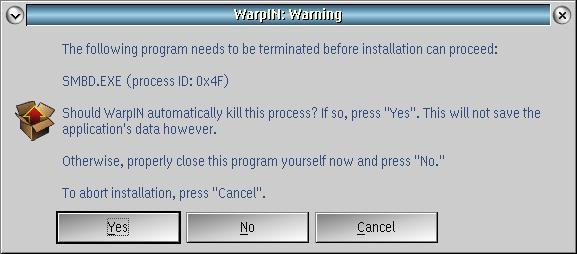
Terminating existing Samba Server before installation
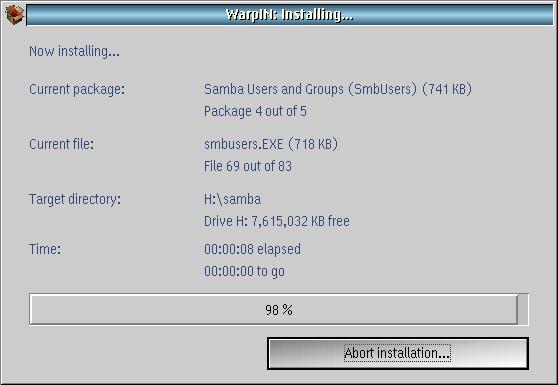
Installing...
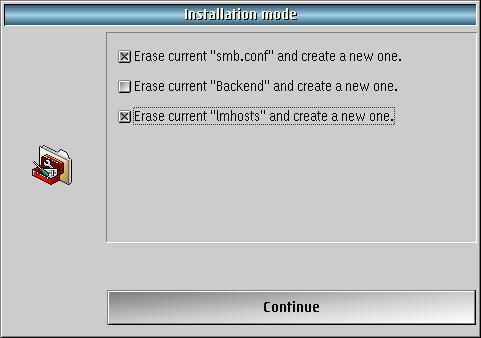
Installation mode
root password
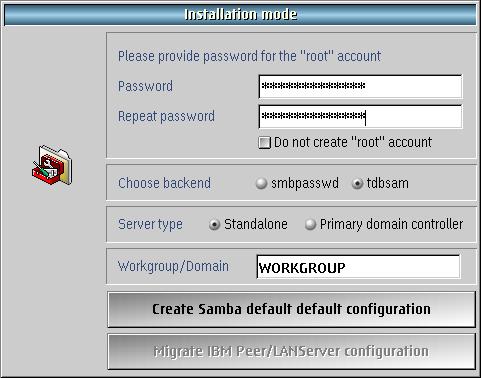
Setting up Samba to start every time
I prefer to set up Samba to start from the Workplace Shell Startup Folder. The script I use is shown below. I create an object of the script, with the Samba installation directory as the working directory, and place it in the Startup Folder.
/* Script to start Samba on Blonde Guy server */
say "wait 10 seconds before starting Samba"
'sleep 10'
say "starting Samba"
call smb 'start'
say "Samba started"
return
Restart the machine to let everything take effect, and Samba server is ready to configure.
Installing the client
Samba client software is installed by eCS 2.1 and newer. Since then, newer versions of the client have been released.
Samba client software can be found on the same website as the server files.
For OS/2, NetDrive is required. For eCS, the EVFS program supplied with the operating system will work.
The installation files for the Samba client are
- Samba client plugin ftp://ftp.netlabs.org/pub/samba/client/ndpsmb-2_2_0-Beta4-20140226.zip> (1,754,798 bytes)
- Samba client GUI ftp://ftp.netlabs.org/pub/samba/client/evfsgui/evfsgui-25RC7-20141213.zip (1,154,898)
- Samba client CLI ftp://ftp.netlabs.org/pub/samba/client/smbclut/smbclut-1_1_2-760.zip (1,154,898)
I've changed my client version from 2.1.5 to the 2.2.0 beta. This change is intended to make it possible to use Win 7 resources.
Server Programs
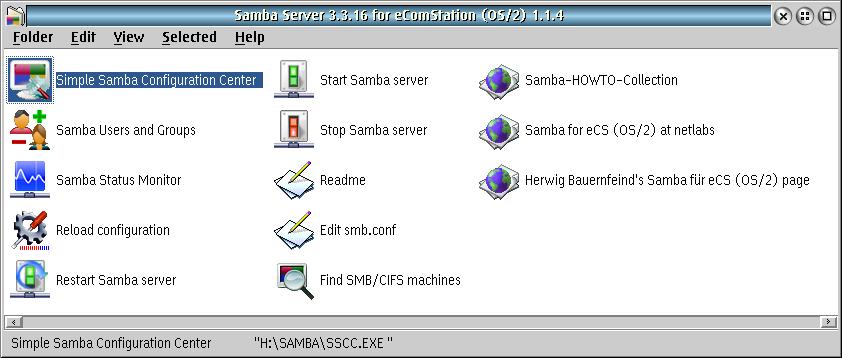
Simple Samba Configuration Center
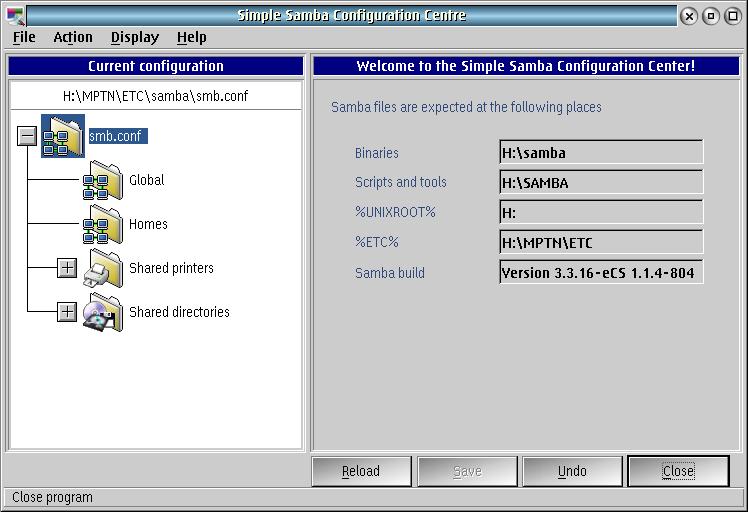
The Simple Samba Configuration Centre controls Samba shares by editing the smb.conf file.
Samba Users and Groups
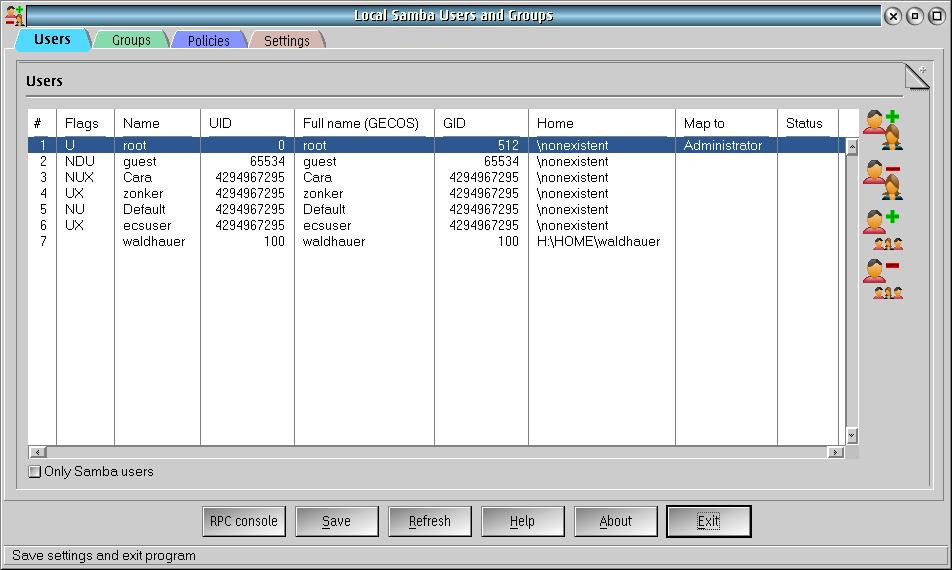
The Samba Users and Groups controls Samba security by editing the password files.
Samba Status Monitor
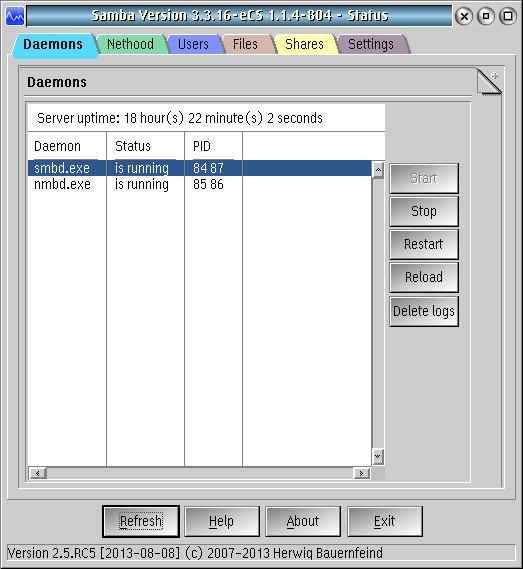
The Samba Status Monitor displays Samba status in several categories.
Reload Configuration
After making configuration changes, Reload Configuration invokes a script to notify the running Samba server to use the new configuration.
Restart Samba Server
Uses the command line tool smb to stop then start the Samba Server.
Start Samba Server
Uses the command line tool smb to start the Samba Server.
Stop Samba Server
Uses the command line tool smb to stop the Samba Server.
Edit smb.conf
Directly edit the Samba configuration file smb.conf, which is in plain text.
Find SMB/CIFS machines
Uses the command line tool FINDSMB to find other machines that are visible on the local network.
Resources
Here are the resources for Samba networking on eCS and OS/2 that I have found on the web.
OS/2 Release Notes has a nicely done article.
OS/2 World forum discussion on installing Samba
evfscli notes
On the client side, it's been frustrating to attach a network resource at system startup.
eComStation Virtual File System Command Line Utility, Version 1.0.5.5
(C) Copyright Blueprint Software Works, 2000-2006.
All Rights Reserved.

Syntax:

    EVFSCLI command [parameters]

commands are: ATTACH, CHECK, CREATEMP, DELETEMP,
              DETACH, MOUNT, QUERY, REFRESH,
              UNMOUNT, WAIT.

For help on a command:

    EFVSCLI command ?
Syntax:

    EVFSCLI ATTACH x:

where x is the drive letter to be created.

Example: evfscli attach s:
Syntax:

    EVFSCLI CHECK [period retries]

default values are period=10 (in seconds), retries=infinity

Example: evfscli check 1 5
Syntax:

    EVFSCLI CREATEMP path

where path is the mount point to be created.

Example: evfscli createmp s:\os2
Syntax:

    EVFSCLI DELETEMP path

where path is the mount point to be deleted.

Example: evfscli deletemp s:\os2
Syntax:

    EVFSCLI DETACH x:

where x is the drive letter to be deleted.

Example: evfscli detach s:
Syntax:

    EVFSCLI MOUNT type mountpoint resource {R|W} [F]

    where
        type        type of the resource;
        mountpoint  the mount point that the resource has to be mounted to
                    (the mount point must exist already);
        resource    resource description;
        {R|W}       R for read only access, W for read/write;
        [F]         force mount and do not check whether the resource already
                    exists in the mount point.
Syntax:

    EVFSCLI QUERY {PATH | IFS | CTL | MOUNT mountpoint}

Example: evfscli query mount s:\
Syntax:

    EVFSCLI REFRESH path [S]

where
    path  the directory to be refreshed
    [S]   refresh subdirectories
Syntax:

    EVFSCLI UNMOUNT mountpoint index

    where
        mountpoint  the mount point that the resource is to be unmounted from;
        index       index of the resource to be unmounted (0 - all resources).
Syntax:

    EVFSCLI WAIT [wait_time retries]

default values are wait_time=10 (in seconds), retries=3.

Example: evfscli wait 1 5
Samba command line example
I can mount a remote resource from command line. For the resource description, type out the evp file for the resource. The procedure is below.
evfscli attach r:
evfscli mount smbfs R:\ \\BEACH2:SERBOPEEP\JFS@zonker;WORKGROUP=BEACH2;SERVRBOPEEP;SHARE=JFS;USER=zonker;PASSWORD=;SPASSWORD=6666666666664D6F726E696E6TER=WORKGROUP;MASTERTYPE=1;CTO=10;CLD=32;EASUPPORT=1 W
Configuration file
When Samba server starts, it reads configuration files that define what network resources are to be shared and which users and groups have access to those network resources.
The configuration file, samba\smb.conf, is located in the %ETC% directory. The following configuration file is the smb.conf from a working network.
# Samba config file created using SSCC ver. 1.0.3
# from DEFAULT@ARBOPEEP
# Date: 17 Oct 2015 07:08:21
[global]
	server string = %h Samba Server for eCS (OS/2)
	null passwords = Yes
	passdb backend = tdbsam
	guest account = guest
	username map = H:\MPTN\ETC\samba\private\smbusermap
	log level = 2
	log file = H:\MPTN\ETC\samba\log\log.smbd.%U.%M
	time server = Yes
	load printers = No
	printcap name = H:\etc\printcap
	enumports command = H:\samba\enumports.cmd
	add user script = H:\samba\usermod.cmd -a "%u"
	rename user script = H:\samba\usermod.cmd -r "%uold" "%unew"
	delete user script = H:\samba\usermod.cmd -x "%u"
	add group script = H:\samba\groupmod.cmd -a "%g"
	delete group script = H:\samba\groupmod.cmd -x "%g"
	add user to group script = H:\samba\groupmod.cmd -j "%g" "%u"
	delete user from group script = H:\samba\groupmod.cmd -l "%g" "%u"
	set primary group script = H:\samba\usermod.cmd -p "%u" "%g"
	add machine script = H:\samba\usermod.cmd -a "%u"
	lm announce = Yes
	wins support = Yes
	add share command = H:\samba\addshare.cmd
	change share command = H:\samba\changeshare.cmd
	delete share command = H:\samba\delshare.cmd
	lock directory = H:\MPTN\ETC\samba\lock
	comment = Samba Server for eCS (OS/2)
	create mask = 0777
	ea support = Yes
	store dos attributes = Yes

[HOMES]
	comment = Home directory
	path = H:/HOME/%u
	read only = No
	browseable = No

[Epson409]
	comment = Epson 4090 Postscript
	path = H:\MPTN\ETC\samba\spool\Epson409
	create mask = 0700
	guest ok = Yes
	printable = Yes
	print command = H:\samba\smbprint.exe "%s" "%p" "%J" "%c" "%z"
	printer name = Epson409

[ePDF]
	comment = ePDF
	path = H:\MPTN\ETC\samba\spool\ePDF
	create mask = 0700
	guest ok = Yes
	printable = Yes
	print command = H:\samba\smbprint.exe "%s" "%p" "%J" "%c" "%z"
	printer name = ePDF

[D]
	comment = Drive D: (JFS)
	path = D:/
	read only = No
	hide files = /*. SF/root/

[H]
	comment = Drive H: (JFS)
	path = H:/
	read only = No
	guest ok = Yes
	hide files = /*. SF/root/

[N]
	comment = Drive N: (JFS)
	path = N:/
	read only = No
	guest ok = Yes
	hide files = /*. SF/root/

[S]
	comment = Drive S: (CDFS)
	path = S:/
	guest ok = Yes
	hide files = /*. SF/root/
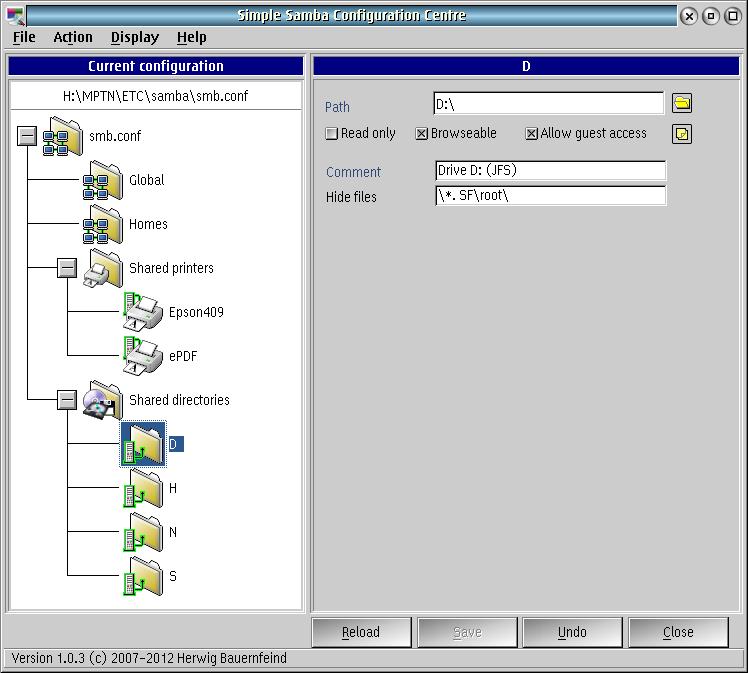
Shared Directories
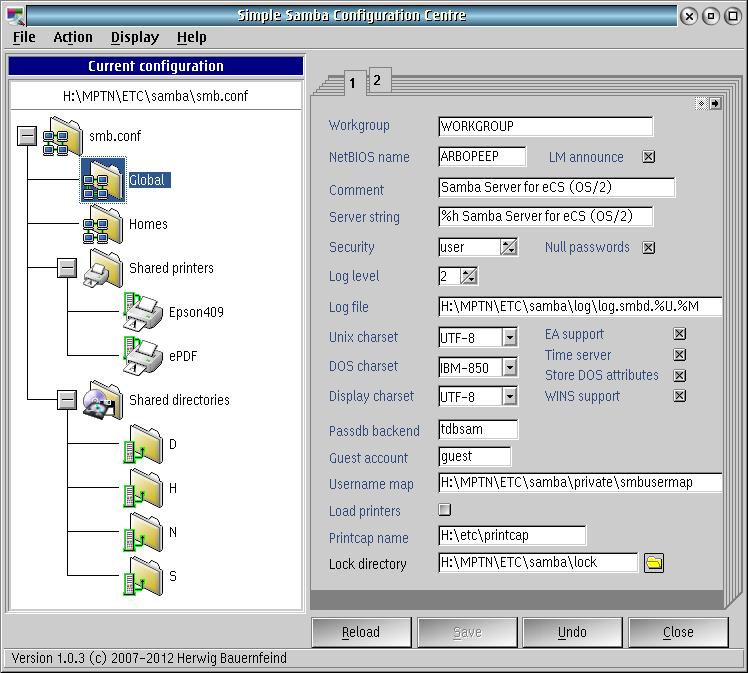
Configuring a shared directory
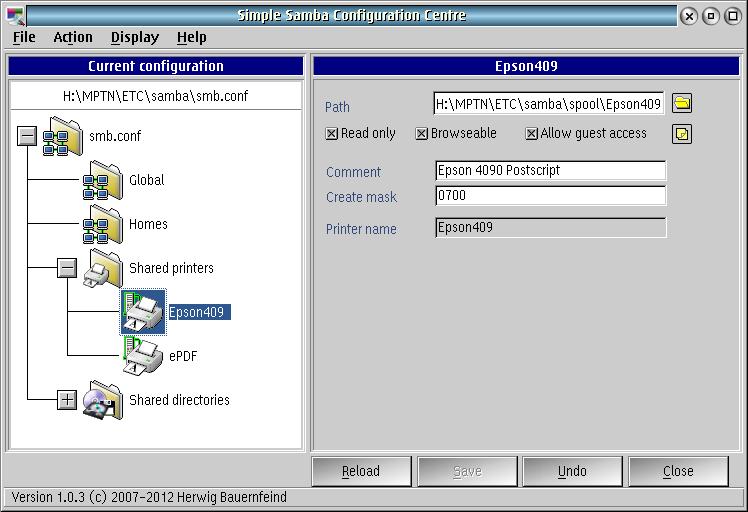
Shared Printers
Users and Groups
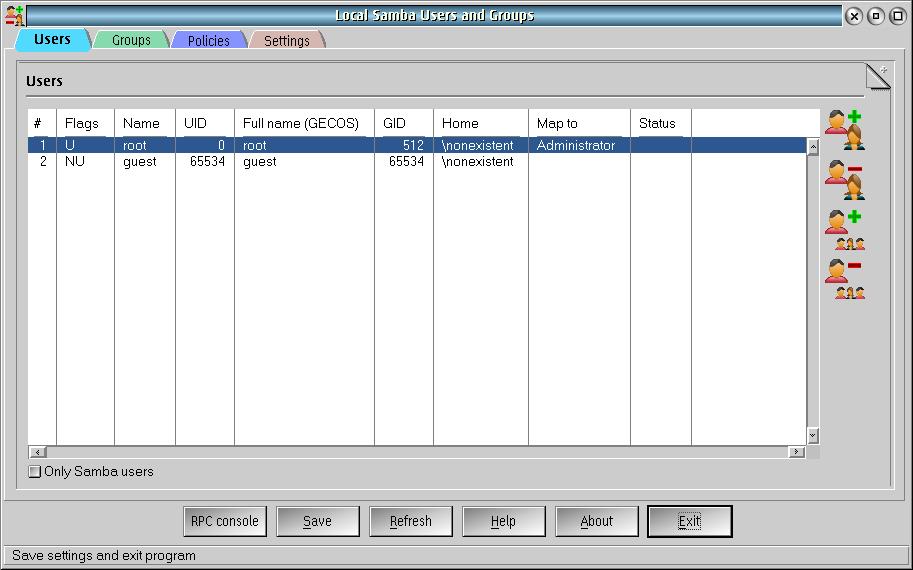
Add an administrator
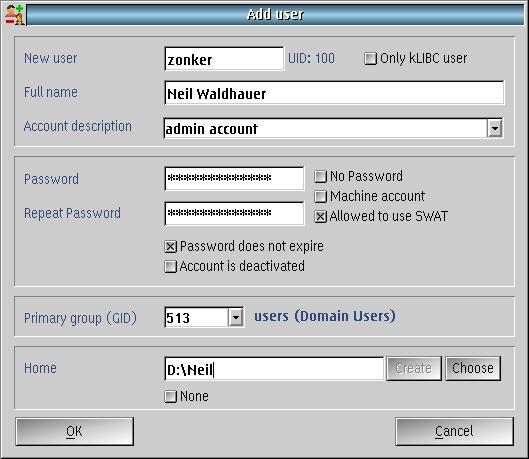
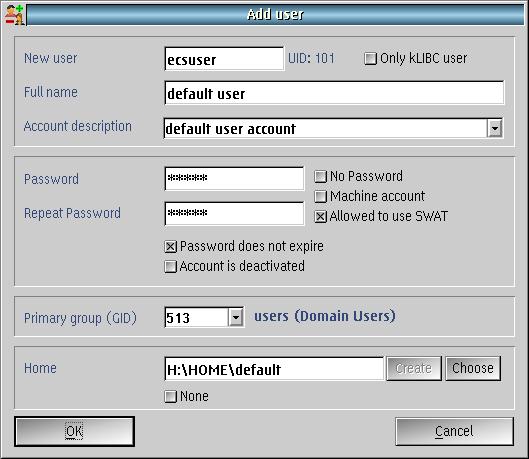
Add a user
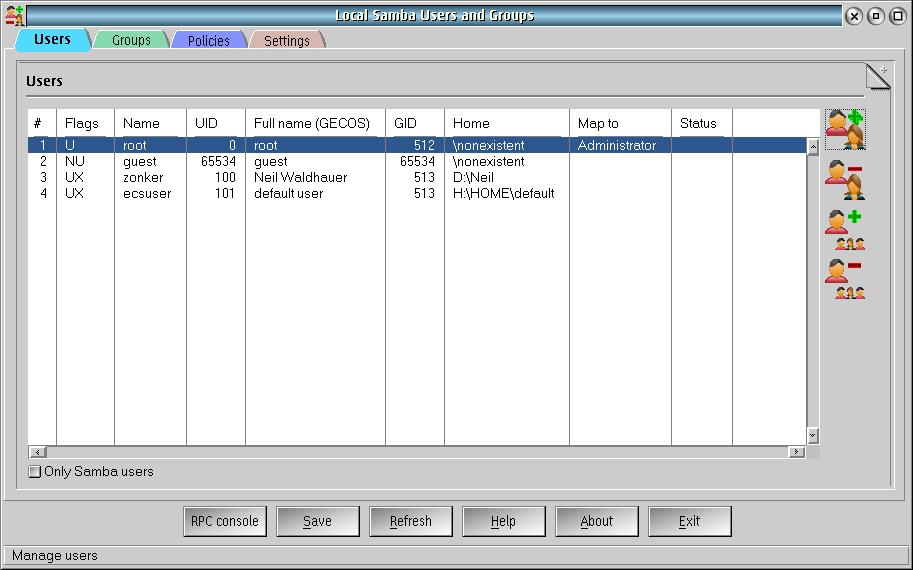
user list
Conclusion
It's October 2015, and I've been using Samba successfully in my Local Network. I can interoperate between iOS, Linux, Mac OS, OS/2, eComStation and Windows.
I have not yet tested with Android, but it is likely to work.